Edit Existing Provider
Edit Existing Provider
The steps for editing an existing provider are similar to the steps for adding a new provider. To start, click on “Add or edit provider”.
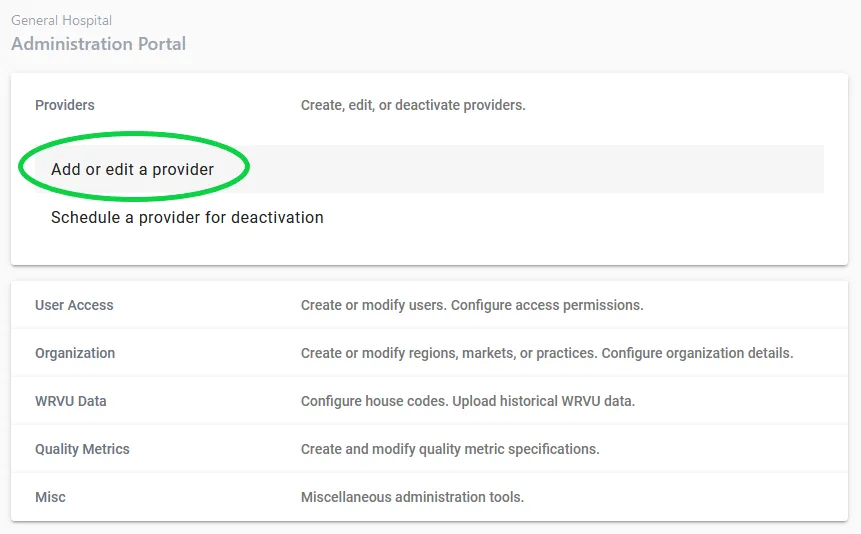
Step 1. Choose “edit existing provider”
Step 2. Search for provider
Choose the provider you wish to edit from the dropdown. You can search by name and the list will be filtered.
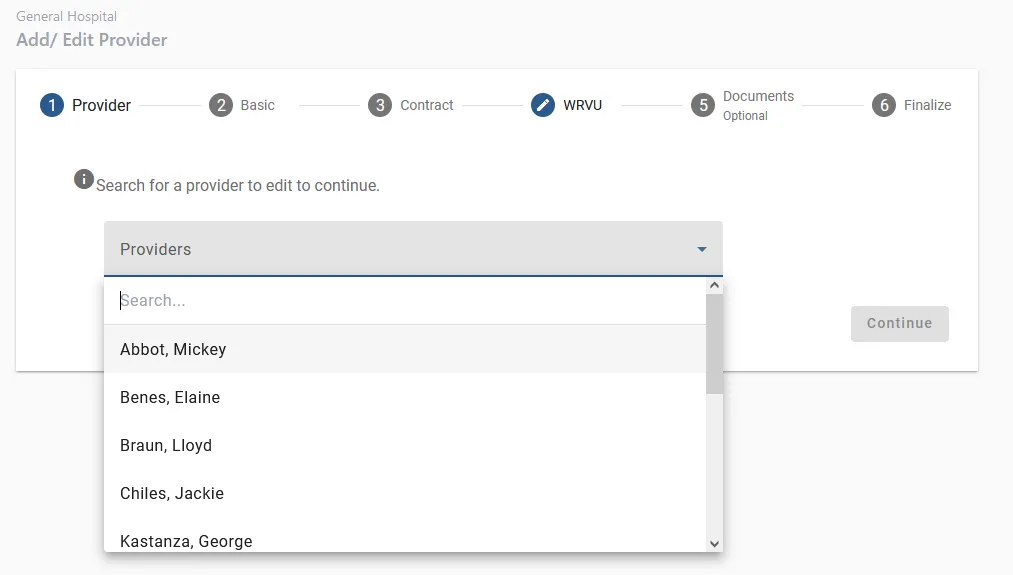
Step 3. Edit information
Edit the information on each step. The remaining steps are the same as the ”add new provider” sequence. When finished, verify that all information is accurate and click “Submit”.