Export Reports
You have the option to export various types of reports. Currently, we support the following export options:
- Line-item details
- Provider Census
- Provider Summary Details
- Practice Summary Details
- Provider Renewing Report
- Provider Productivity by Specialty
- Provider Productivity by Specialty by APP
The options can be accessed from the first dropdown labeled “Report Type”.
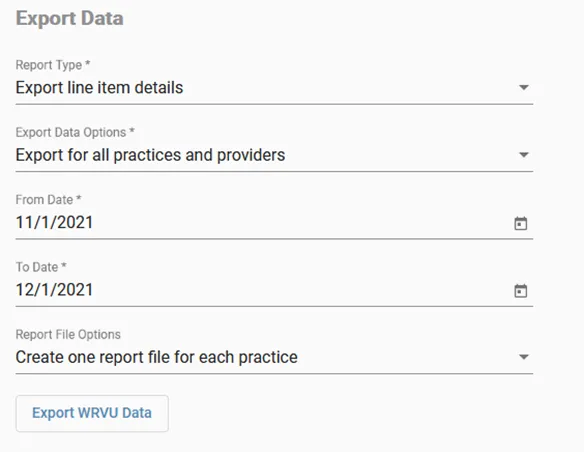
- Select your desired report type.
- If you select “export line item details”, choose from the drop-down list whether you would like to export line-items for selected providers, selected practices, or for all practices and providers.
- If applicable, select the desired practices or providers from the drop-down menu.
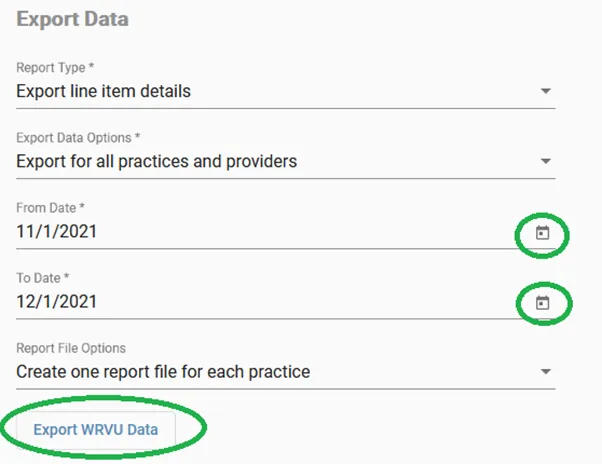
- Input the From Date* in mm/dd/yyyy format or use the calendar feature on the right to select the From Date*.
- Input the To Date* in mm/dd/yyyy format or use the calendar feature on the right to select the To Date*. The end date should be the date through the last selected date, not to the end date.
- Be sure that you accommodate for the 24-hour lag in receiving data when selecting your date. For example, if you want data for the entire month of February 2021, select 2/1/2021 - 3/1/2021.
- When your desired criteria is selected, click the Export WRVU Data button.
Upon submission, a message will appear indicating the status of the upload. When finished, you will receive an email with the attached report. Alternatively, a link will appear at the bottom of the page with the downloadable file.
IMPORTANT: If you wish to direct download the report(s), do not close or navigate away from the page.